Subscribe to RSS Subscribe to Comments
Follow us on Twitter!

New Project: NES Computer – Stealth Edition

UPDATE:

Project completed! Here is the Youtube video of it in action:

You can still view the worklog(more pictures and guide to building NES PC!) here:
http://www.exoid.com/ephpbb3/viewtopic.php?f=18&t=1220

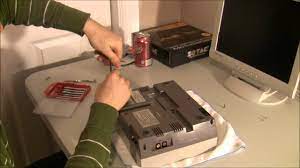
Here are two pictures of my next project:

nes2

Can you guess what I’m going to do with these goodies?
That’s right, I will be building a retro gaming computer using my favorite mini-itx board the D201GLY2, and my trusty companion that has been in the family for longer than most of my brothers and sisters. The goal with this build is going to be complete sleeper looks. What I mean by that is that the NES will be absolutely indistinguishable from a stock NES, completely stealth. I have seen a lot of NES’s built into computers on the web, but none have a completely stock look. In fact the majority look like frankenstein hack jobs. Hopefully mine will only look like that if you open the case. I have some original ideas that will make this build very unique and hopefully pretty gosh dang awesome.

If you want to see the worklog, please sign up and visit the forums by following this link:

http://www.exoid.com/ephpbb3/viewtopic.php?f=18&t=1220

D201GLY2 – Undervolting Mod Guide

Introduction:

The Intel D201GLY2 originally came in a fanless passive configuration, and according to Intel, was designed to rely on the fans of the computer case to cool the processor. If you were aiming to run this board passively, you may have been in for a big surprise, as the cpu can reach critical temperatures of over 100 degrees celcius! Intel later released the D201GLY2 that includes a small fan which would solve all your problems. It isnt so much that the CPU puts out a lot of heat, it is the fact that the stock heatsink isnt much thicker than an aluminum can. (Ok, I’m exaggerating, but it really is a very small heatsink.)

Click to read more:
(Read the article)

Home Server Guide – Part 1

This is my current server build, the video covers some pretty cool stuff, such as my DIY SSD, made out of a 266x CF card, setting up a raid5, how to lower power consumption without losing performance, and how to build your networking components right into your case.


recommendation hgh

D201GLY2 Heatsink Mod Posted

Keeping it fresh with the launch of our series of articles about the Intel D201GLY2, Here’s a useful heatsink Modification guide, Do you wan’t to lower the temperature of your D201GLY2 with an easy mod? Follow this simple guide to get lower temps on this little board.
Continue on to D201GLY2 – Heatsink Mod by clicking here.

Or discuss the D201GLY2 in our forums by clicking here.

(Read the article)

Mazda 3 – Adding Power Windows and Locks.

Mazda3 coolI recently picked up a 2007 Mazda 3 for a very good price, thousands under bluebook from a previous owner, the car only had 2,000 miles on it. Anways, it was a model that did not include power windows or locks. I decided to add these on my own. Here’s How I did It.

(Read the article)

Securely Mounting the Ultra 120 Extreme + P5B Deluxe Mods

Washer AddedThe Thermalright Ultra 120 Extreme has become very popular recently as the ultimate air cooler. Unfortunately the extreme is also becoming a bit notorious as having some quality control issues, mainly due to the new mounting procedure. Because there are more heatpipes, the clamp that holds the Ultra 120 Extreme to the CPU is a scissor design which can be opened and then closed.

I’ll show you how to mount this cooler securely, continue on to the article by continuing
(Read the article)

Lapping the Core 2 Duo, A guide.

Lapping E6600I finally received my new heatsink, the Thermalright Ultra 120 Extreme for use in my overclocked main work machine. It is a Core 2 Duo based machine with an ASUS p5B Deluxe motherboard. Since I was going to be taking my computer apart anyways to install the new heatsink, I decided to go extreme in my overclocking efforts, I decided to “lap” both my processor and new heatsink.

 For more information on what lapping is and how to do it, continue on to the article by clicking here. dosage feline prilosec

How To: Run your Case Fans at 5v to Decrease System Noise

Layout Here is an easy guide that shows your how to change the voltage of your case fans from the default 12 volts to a lesser 5 volts which allows your fans to spin at a much lower speed, resulting in much less noise from your computer. Obviously this reduces the ability of the fans to cool as well, but most of the times doing this makes sense when your computer already has more than adequate cooling.

(Read the article)

eXoid.com - Tweak your life.